Why I built a food bank digital twin from a news video
Digital twins usually start from CAD drawings and laser scans, which most non-profits cannot pay for. I wanted to know whether a public video tour is enough to start one, and what that would cost.
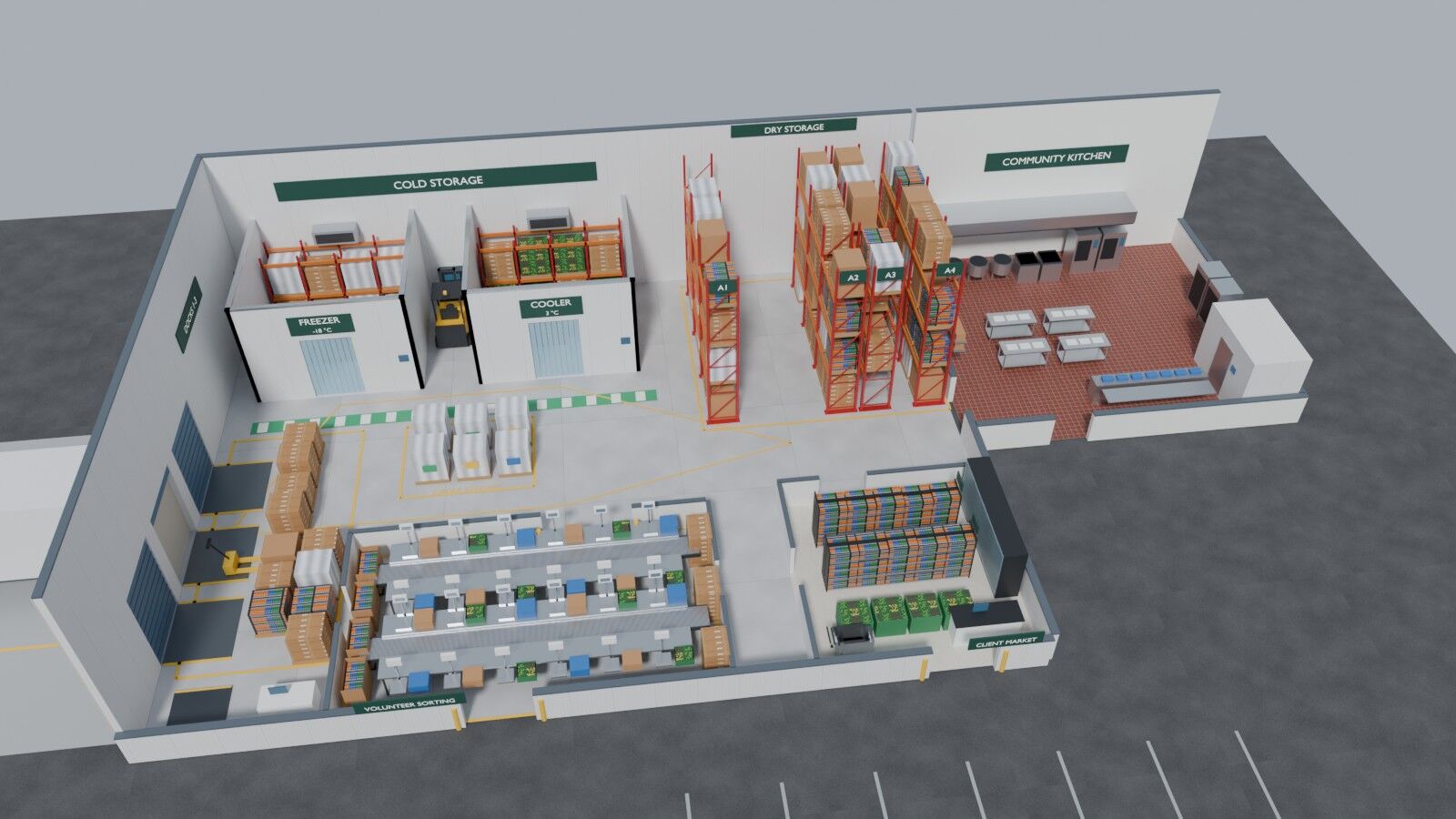
A digital twin is a virtual copy of a site that stays in sync with it through data. In factories and warehouses, twins are used to plan layouts, watch equipment, and rehearse a change before anyone moves a rack. When they work, they pay for themselves.
The expensive part is almost never the dashboard. It is the geometry. A facility twin usually starts with CAD drawings, a laser-scanning crew, or a photogrammetry campaign, and then a specialist spends weeks importing all of it into a simulation tool. For an automotive plant that cost is a rounding error. For a regional food bank it is the whole reason a twin never happens.
Why a food bank
A large food bank is a serious operation. It receives trucks at a dock, stores thousands of pallets in racking, runs freezers and coolers that cannot be allowed to drift, sorts donations with volunteer crews, and ships to hundreds of partner pantries. Many also run a client market and a community kitchen in the same building. That is a warehouse, a cold chain and a small food plant under one roof.
Those are exactly the problems twins are good at. Where is the inventory? Is the freezer holding temperature? Which dock is congested at 10 a.m. on a Monday? Where do the forklifts and the volunteers cross paths? The difference is the budget. Food banks run on donations and volunteer hours, so a six-figure scanning and modeling project is out of the question.
So the question I set myself was narrow and practical: is a publicly available video tour enough to start a useful twin, with no CAD drawings, no laser scans and no site visit? And if it is, how fast and how cheap can it be?
What changed that made this worth trying
Three things moved in the last two years.
- World models and Gaussian splatting. A world model is an AI system that infers 3D structure from images. Given a few video frames, it can estimate where the camera was and how far away everything is in real metres. 3D Gaussian splatting turns posed images into a photorealistic 3D scene that renders in real time, even in a browser.
- OpenUSD can now hold splats. Universal Scene Description, the open 3D standard that came out of Pixar, added a native Gaussian-splat schema in its 26.03 release. A splat capture is no longer a viewer-specific file. It can sit in the same scene as racking, sensors and a forklift.
- Serverless cloud costs nothing at this scale. A backend that serves a twin's live data can be a few functions behind an API, and it bills only when someone calls it.
Put together, those three suggest a different order of work. Start from footage that already exists, get a first twin in days, and only spend real money on the parts that turn out to matter.
The rules I set before writing any code
I gave myself seven days and three rules.
- One contract between the steps. Everything upstream writes OpenUSD in metres, Y up, with the floor at zero. Everything downstream reads it. The browser, Blender and Omniverse are interchangeable renderers, not separate projects.
- Label everything. Every part of the twin is tagged as captured from the video, designed for this project, taken from published figures, estimated, or simulated. A twin that hides which parts are real is worse than no twin.
- Never pay twice. Every paid call has a budget cap, records its job id before waiting, and resumes instead of re-paying when it is run again.
The subject is a representative Texas food bank, inspired by a local news tour of one. It is not a replica of that building, and neither the food bank nor the station had any part in it.
What came out of it
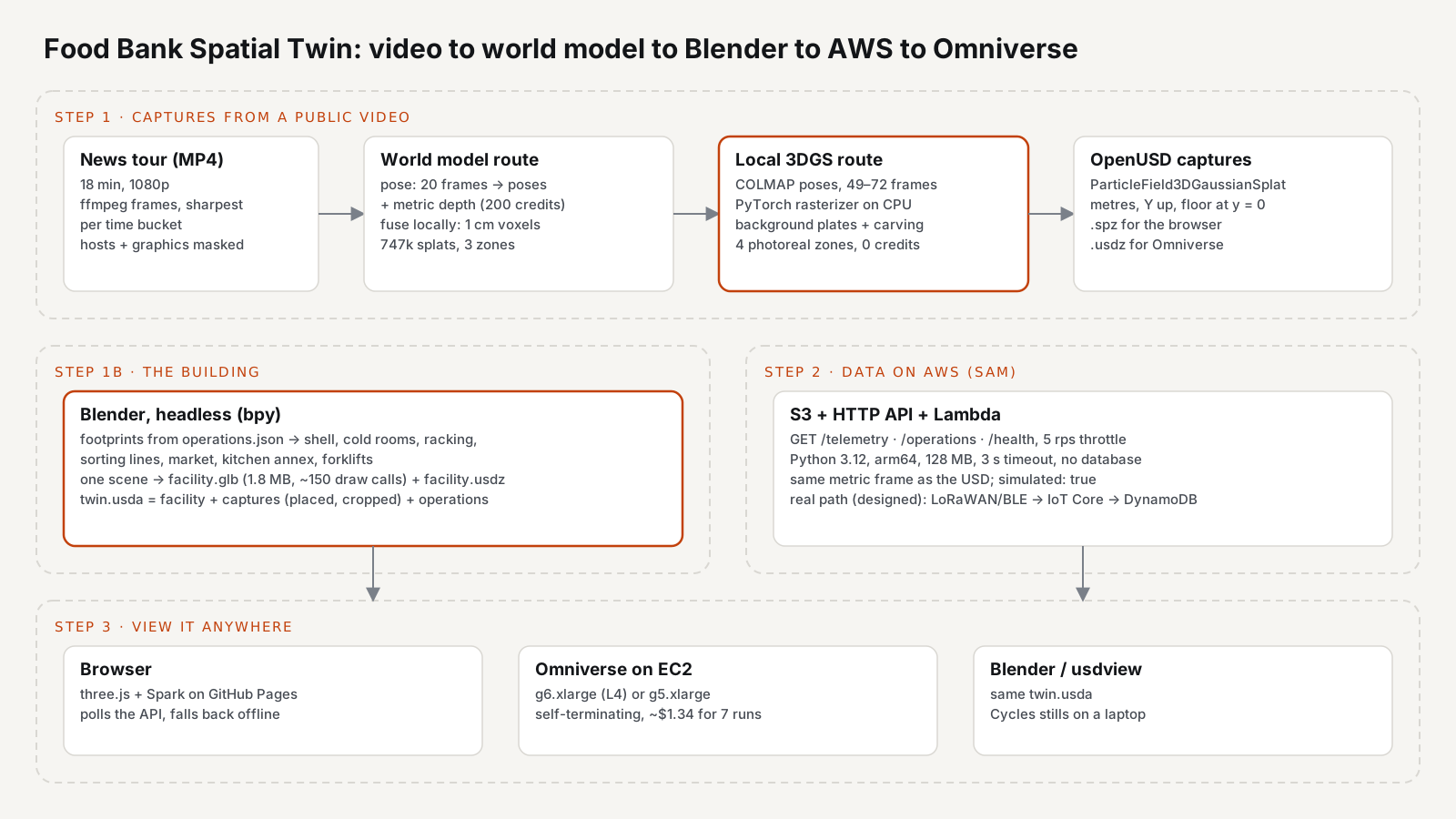
The pipeline runs in three steps, and each one gets its own part in this series.
- Video to 3D captures. Twenty frames went to a world model for camera poses and metric depth, and came back as about 747,000 splats across three areas, for 200 credits, which is 20 US cents. A Gaussian-splat trainer I wrote to run on a plain CPU then trained four areas from 49 to 72 frames each, at no credit cost, which made them hold up as the camera moves.
- The rest of the building in Blender. The video never shows the whole building, and asking the world model to imagine the unfilmed areas failed on the provider's side twice. So one headless Blender script models the full facility from the footprints in the operations data and publishes it in the same OpenUSD frame.
- Data on AWS, viewed anywhere. A serverless API on AWS serves cold-room telemetry, forklift positions and the operations layer in the same coordinates. The twin runs in a browser on GitHub Pages and renders in NVIDIA Omniverse on a rented GPU.
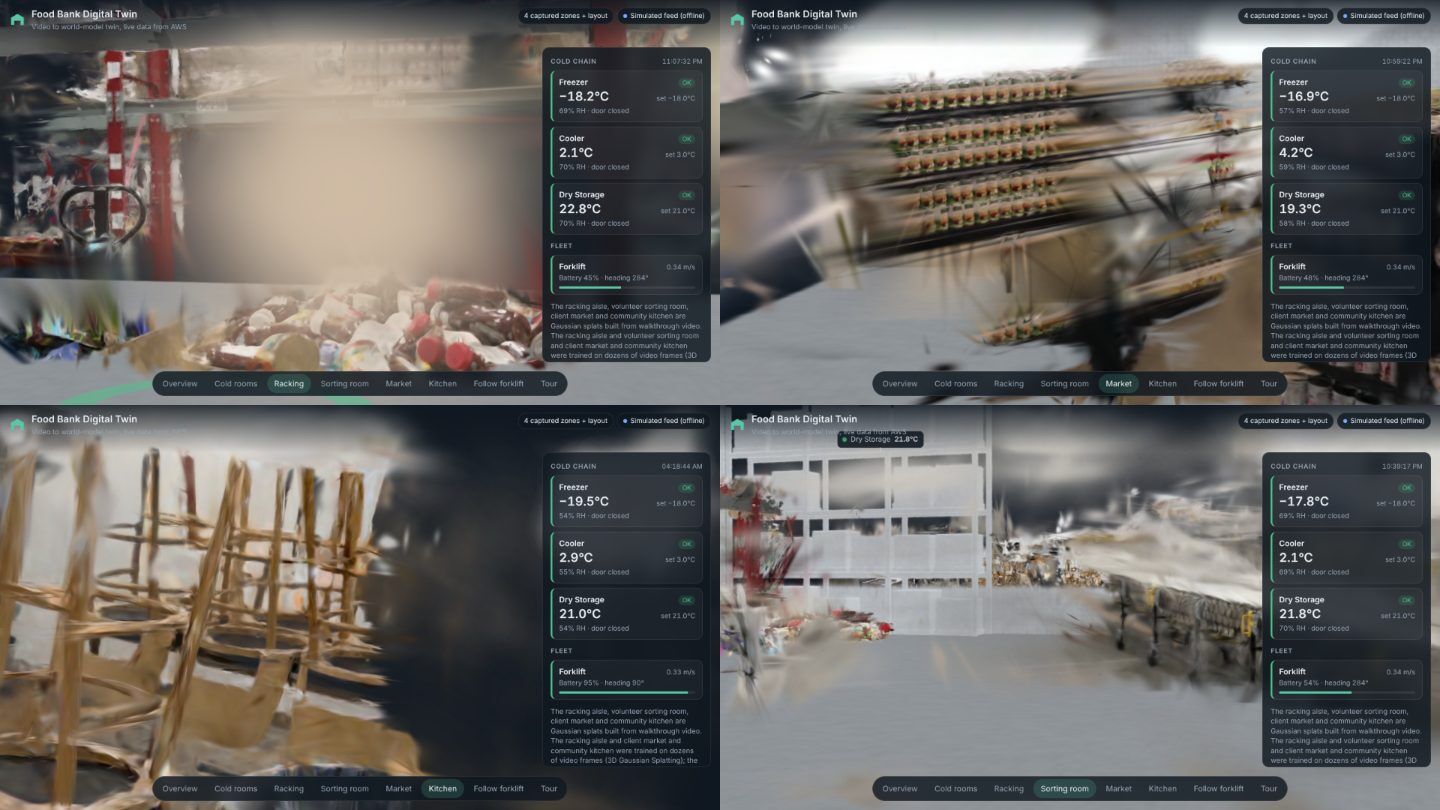
It went from first commit to a deployed backend in seven days. The build cost about $1.54 of compute: 20 cents of world-model credits and about $1.34 of GPU time for the Omniverse trials. The AWS backend has billed $0.00 so far. Putting real sensors on a facility floor is estimated at about $2,700 of hardware once and about $12 a month on AWS.
Not everything worked, and I will be specific about what did not. Generating views of unfilmed space failed. Omniverse rendered the Blender building beautifully but drew the splats as a blank grey frame. Those failures are as useful as the successes, because they show exactly where the tooling is today.
What is next in the series
Part 2 goes into the first step in detail: how to get from a news video to a 3D world model, the frame selection and masking that make or break it, and the CPU splat trainer, with the code. After that come the Blender building, the AWS architecture, and the full pipeline with the paper.
The code, the docs and the live twin are all public. If you run a warehouse, a cold chain or a food bank and want to try this on your own footage, the repository is the place to start.