The cloud layer, a digital twin backend on AWS for $0.00
A serverless AWS backend serves telemetry and operations data in the twin's own coordinates, a real-sensor path is designed and priced, and Omniverse runs on EC2 GPUs that terminate themselves. What worked and every pitfall.
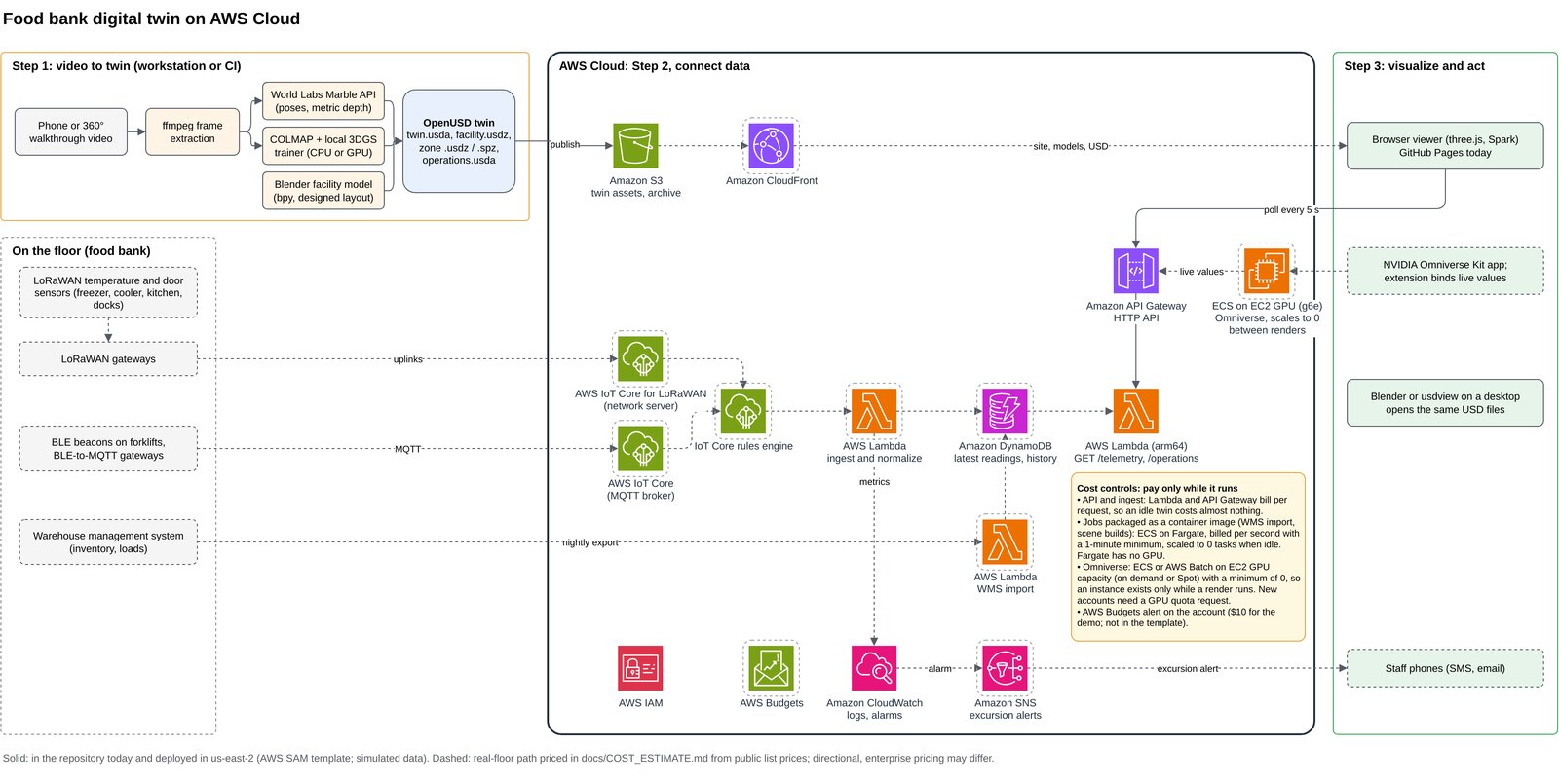
A twin is geometry plus data. Parts 2 and 3 built the geometry. This part is the data side and where it runs, with one design rule: everything bills only while it runs.
The backend is three resources
The whole backend is one AWS SAM template:
| Resource | What it does |
|---|---|
| S3 bucket | Holds the twin's published assets and a copy of the site |
| HTTP API | GET /telemetry, GET /operations, GET /health, throttled to 5 requests a second |
| Lambda (Python, arm64, 128 MB) | Computes the current state of the building from the clock. Stateless, so there is no database |
/telemetry returns freezer, cooler and dry-storage temperature, humidity, door state and alarms, plus a forklift looping through the building. /operations returns inventory, flows, docks and the kitchen. Every position is in metres in the same frame as the OpenUSD scene, so a viewer can pin a badge to a cold room without a lookup table. Every payload says simulated: true.
Each cost decision is written into the template, next to the setting it controls:
Parameters:
  ThrottleRate:
    Type: Number
    Default: 5
    Description: Steady-state requests per second allowed across the API (cost ceiling).
  LogRetentionDays:
    Type: Number
    Default: 7
    Description: CloudWatch Logs retention. Logs are the only storage that grows on its own.

Globals:
  Function:
    Runtime: python3.12
    Architectures: [arm64]      # Graviton: about 20% cheaper per GB-second than x86
    MemorySize: 128             # minimum; the handler does a few microseconds of arithmetic
    Timeout: 3                  # fail fast, never bill a runaway invocation
No NAT gateway, no VPC, no provisioned capacity and no database means nothing bills while nobody is looking.
scripts/deploy.sh # sam build + deploy, syncs the site to S3, prints the URLsMeasured after deployment: 1,000 sequential calls all succeeded, with a 67 ms median round trip. Cost Explorer showed $0.00 for the month, inside the free tier. Past the free tier, a viewer polling every five seconds around the clock is roughly 60 cents a month.
The contract is the product
The simulator is deliberately thin. What matters is the JSON contract, because a real feed replaces the simulator without touching any renderer. The real-floor path is designed and priced: LoRaWAN and Bluetooth sensors into AWS IoT Core, a Lambda to normalize, DynamoDB for state. For one facility that is about $2,700 of hardware once and about $12 a month to run.
The same design maps onto Azure and Google Cloud, with two honest caveats. Azure IoT Hub has no LoRaWAN network server, so it needs a partner. Google Cloud IoT Core was retired in 2023. Both are designs only and have never been deployed.
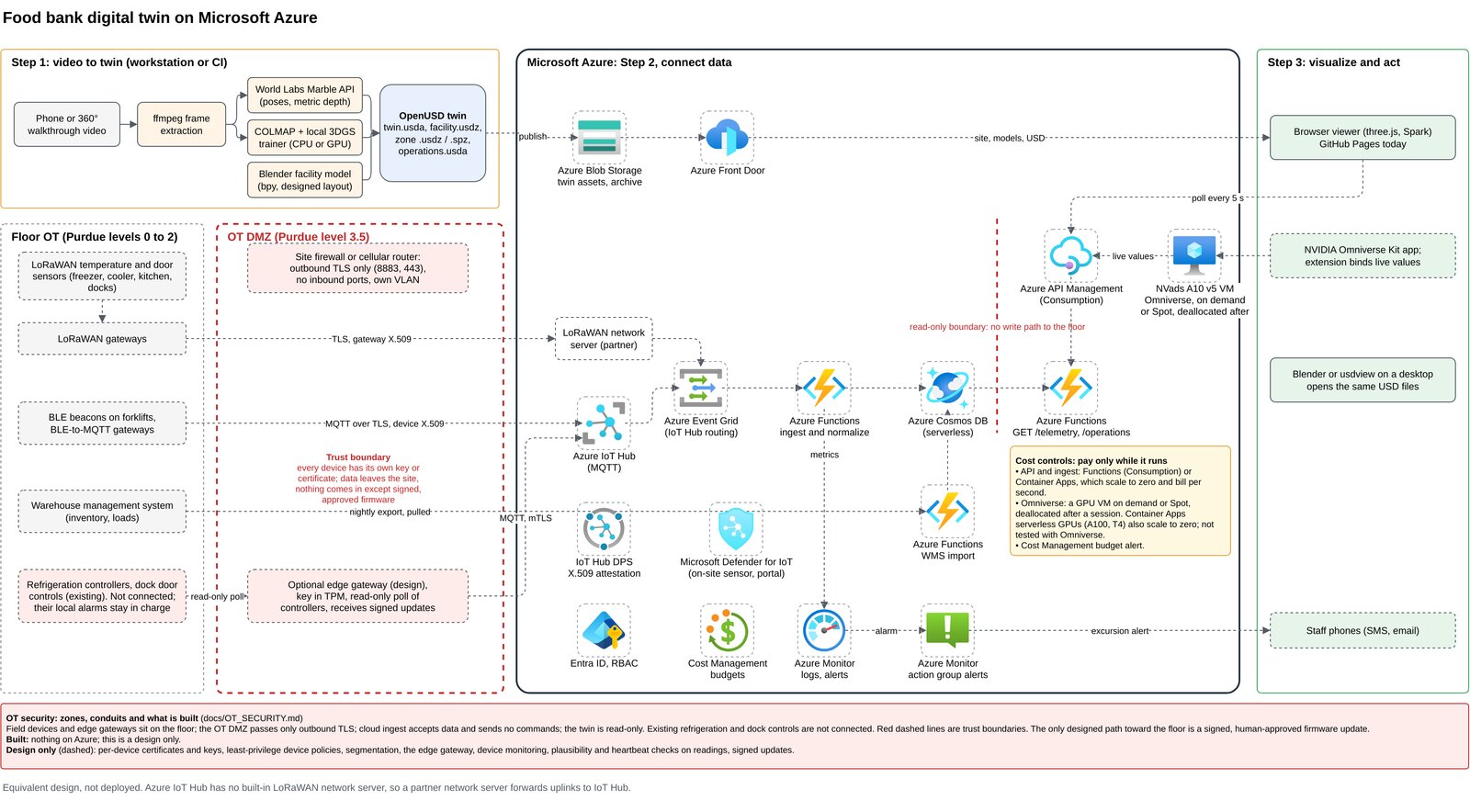
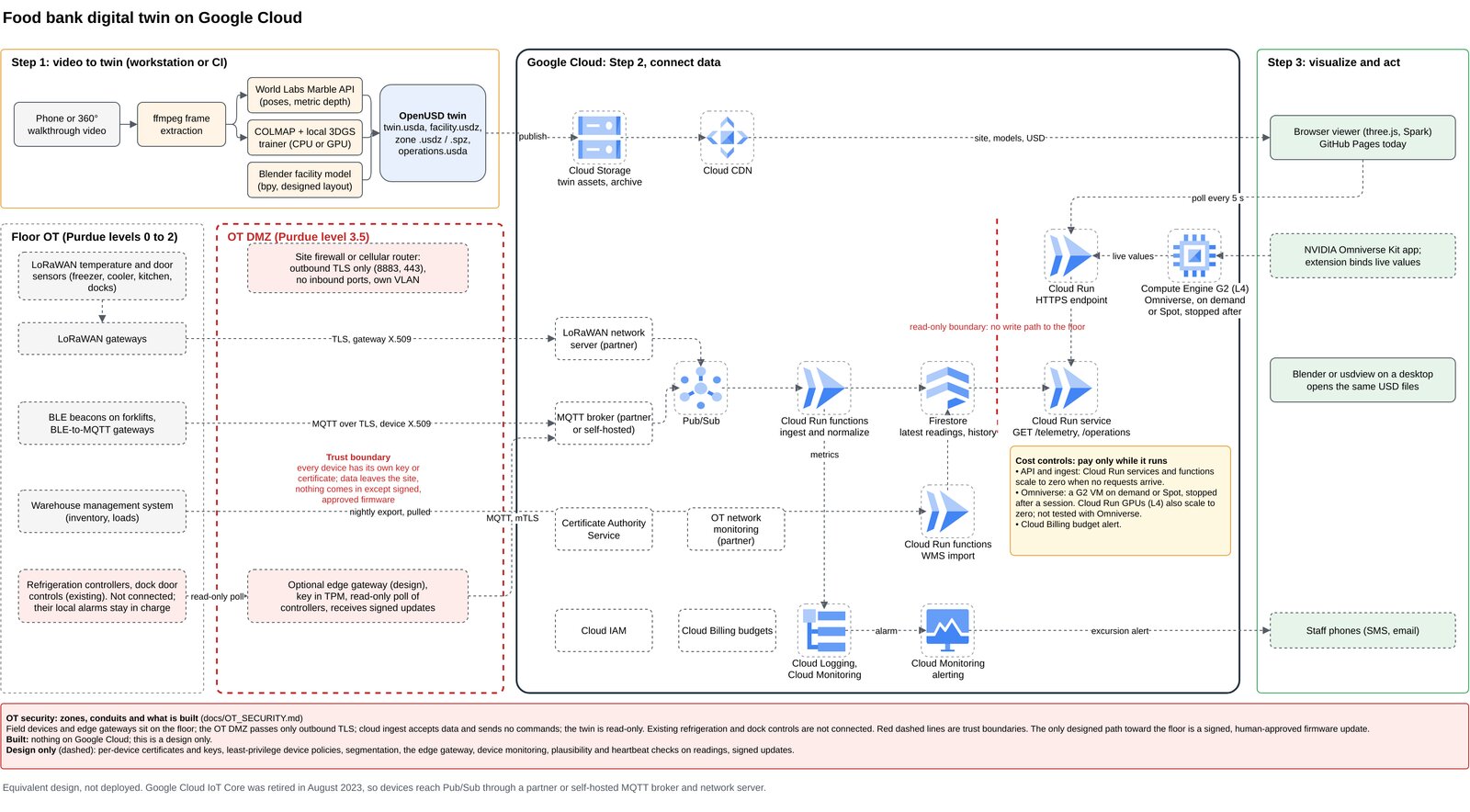
All three diagrams are generated from one script into editable draw.io files, so they stay in step with each other.
Security on the floor: read-only by design
A twin that connects to a facility is also a path into it, so the real-floor design treats the plant network the way industrial sites do. It follows the Purdue model's zones and conduits. Sensors and gateways sit on the floor. A small OT DMZ passes only outbound TLS, with no inbound ports. Every device has its own key or certificate. The cloud side ingests readings and sends no commands, so the twin is read-only. Existing refrigeration and dock controls stay in charge of their own alarms, and the only designed path back toward the floor is a signed, human-approved firmware update. The diagrams draw these trust boundaries as red dashed lines.
Omniverse on a GPU that cannot outlive the job
Omniverse needs a GPU, and a GPU left running is the classic cloud bill surprise. So the render runs on a single EC2 instance launched for one job: no SSH key, no IAM role, inputs and outputs through presigned S3 URLs, a hard shutdown timer, and shutdown set to terminate. Two lines do most of the work. The user-data script starts with a hard cap, and the launch request says that a shutdown means termination, not a stopped instance that keeps its disk:
shutdown -h +{max_minutes} # first line of user data: the instance cannot outlive the jobInstanceInitiatedShutdownBehavior="terminate",It took seven runs because of these, in the order I hit them:
- Driver too new. The current Deep Learning AMI's driver crashed Isaac Sim 5.1 a second after start, even on an empty scene. Plain Ubuntu with the 580 server driver worked.
- Test with a cube first. A one-cube stage separates "the GPU stack is broken" from "my scene is broken". It took four runs to learn the scene was never the problem.
- New accounts have zero GPU quota. Ask on day one. Approval took about an hour, plus 30 minutes to apply.
- Budget 12 minutes to the first frame. Boot, a 4.5-minute container pull, and a 5-minute shader cache build. Render everything in one session.
- Have a fallback instance type. On the last run there was no g6.xlarge capacity in the region. A g5.xlarge ran the same setup unchanged.
- Splats rendered blank. Omniverse rendered the Blender building in RTX, but drew the splat captures as a grey frame. The browser shows the splats instead.
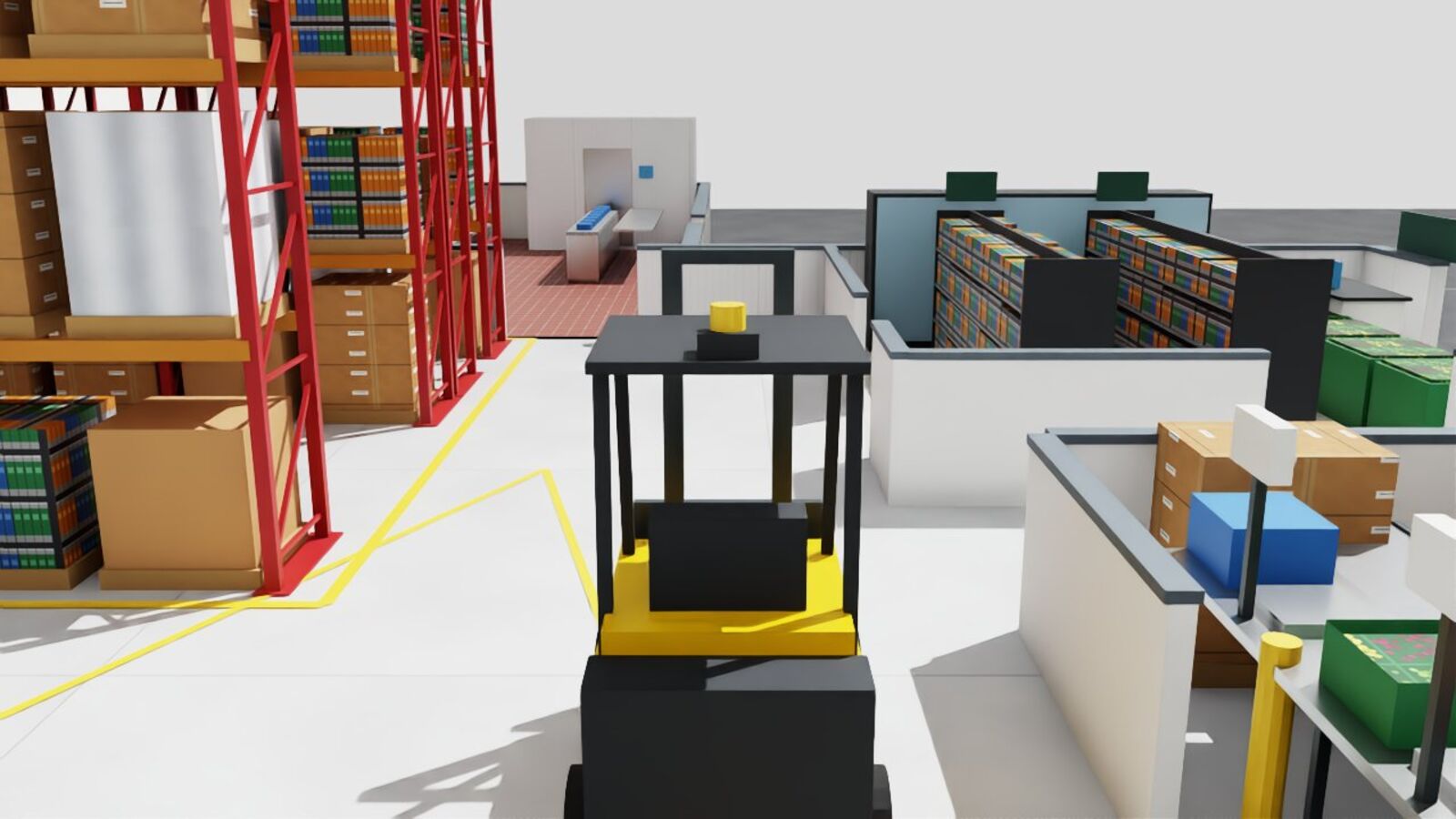
Part 5: the whole pipeline end to end, the full cost picture, and the paper.