Food Bank Spatial Twin
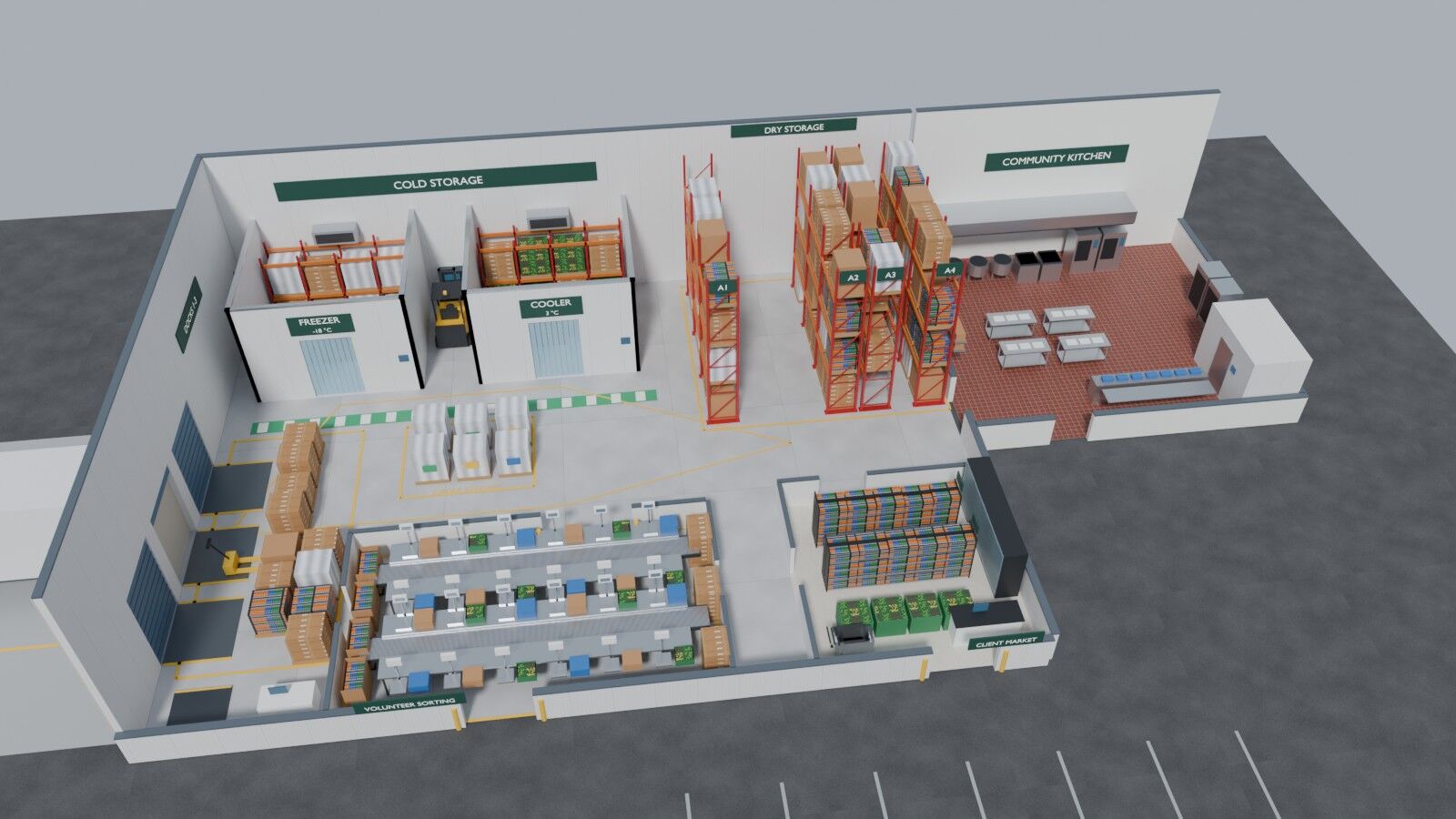
A working digital twin of a representative Texas food bank, built from a public news video in seven days for about $1.54 of compute. No CAD drawings, no laser scans, no site visit. Five parts, from why to the full pipeline and the paper.
- First commit to deployed
- 7 days
- Compute for the build
- $1.54
- AWS backend billed so far
- $0.00
- To run on real sensors
- ~$12/mo
Digital twins help warehouses plan, schedule and catch failures early, but most of them start from CAD drawings or laser scans. That puts them out of reach for the organizations that could use one and can least afford one, like a regional food bank running a warehouse-scale cold chain on a non-profit budget.
This build asks a narrow question: is a publicly available video tour enough to start a useful twin? The answer turned out to be mostly yes. Frames from a local news tour went through a world model and a locally trained Gaussian-splat model to become 3D captures of four areas. A Blender script modeled the rest of the building. A serverless AWS backend serves operations data in the same coordinates, and the twin runs in a browser and in NVIDIA Omniverse. OpenUSD is the only contract between the steps.
The twin is a representative food bank inspired by that tour, not a model of any one site, and nobody at the food bank or the news station was involved. Every part of it is labeled as captured, designed, published, estimated or simulated. It is a personal project, done in personal time, because food security matters and because this is the cheapest way I know to show what the current tools can do.
How to read the series
Each part stands on its own and links to the exact code it describes. Part 1 is the why. Parts 2 to 4 each take one layer: the captures, the building, and the cloud. Part 5 puts the whole pipeline together with the numbers and the paper.
5 parts
- Part 1Why I built a food bank digital twin from a news videoOct 28, 2026 · 5 min
- Part 2From a news video to a 3D world modelOct 28, 2026 · 4 min
- Part 3Modeling the rest of the building in Blender, from footprintsOct 28, 2026 · 2 min
- Part 4The cloud layer, a digital twin backend on AWS for $0.00Oct 28, 2026 · 3 min
- Part 5The whole pipeline, what it cost, and the paperOct 28, 2026 · 2 min